
Additional Information

Payroll Dates
Employees are paid on the 1st and 16th of every month. If the 1st or 16th falls on a weekend or holiday, the employee will be paid on the next business day.
MyDCTS
Employee Timecard
Many of our employees are spread between Cincinnati, Columbus, and Dayton. To encourage motivation and promote accountability, DCTS requires all employees to keep track of their day-to-day workload in MyDCTS.
It is important for all employees to fill out their timecard at the end of each workday so DCTS can consider and justify necessary adjustments in relation to pay increases, overtime, and other important factors that directly or indirectly affect employees and our customers.

Paycom
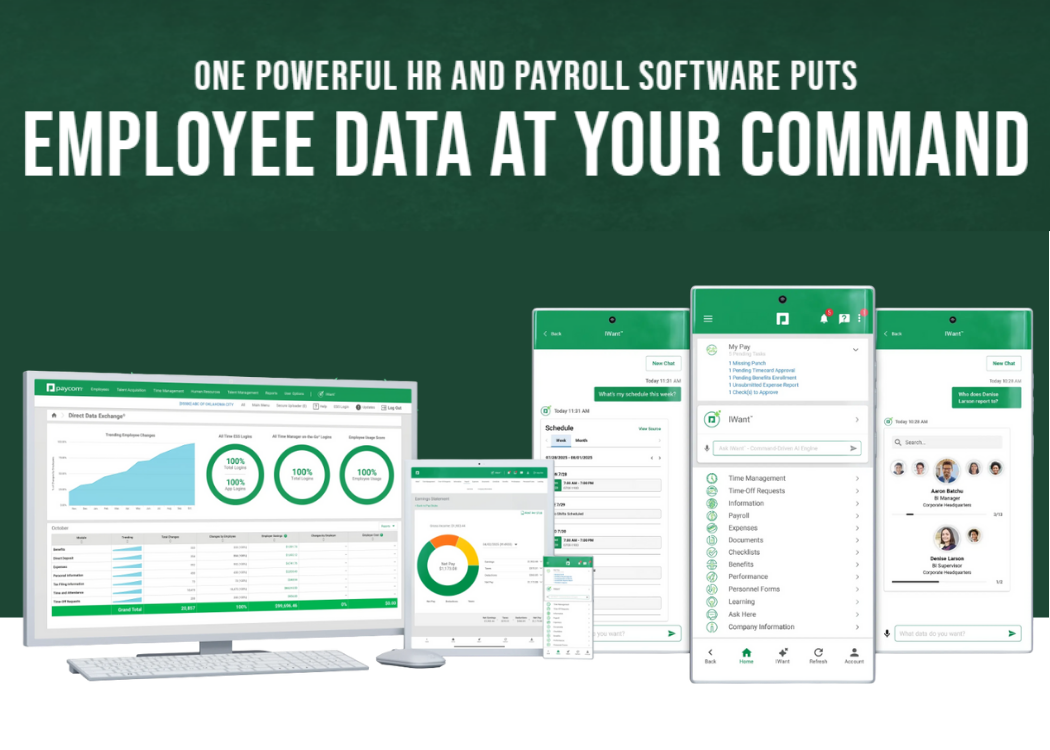
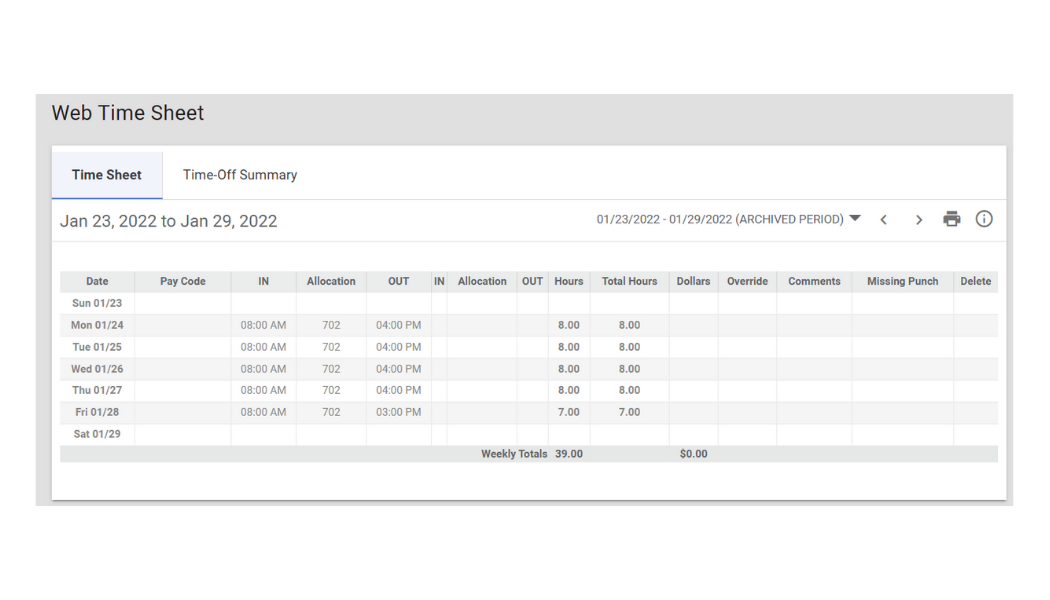
Paycom is a third-party, web-based system DCTS uses for all payroll content (i.e., web timesheet, direct deposit info, pay stubs, etc.). Use your login credentials via PC or download the mobile app for immediate access to your personal information while on the go.
Payroll & Tax Information
Information such as hourly wage, direct deposit, and sample paycheck testing can be found under the “Payroll” tab. Employees can also conveniently change/update W-4 forms, view end-of-year tax forms, and keep track of scheduled earnings and deductions.
Web Timesheet
DCTS is required by federal and state law to keep accurate record of time worked* for all employees. The employee self-service features allow employees to easily record their “start” and “end” times each day. Additionally, the self-service features allow employees to conveniently keep track of tax forms, pay rates, garnishments, and other important employee information.
Paycom offers useful training courses and pathways designated to train employees on the many software uses. Employees are encouraged to check out training at their leisure, but should periodically check the “Learning” tab for specific company training requiring completion by an assigned due date.
Should you have any questions, feel free to consult the Employee Handbook or contact your manager.
*Some of our customers require DCTS employees to log hours worked within their district-wide time tracking system. If you work at one of these schools, please note that you are still required to log your time in Paycom and MyDCTS.
Time Off Requests
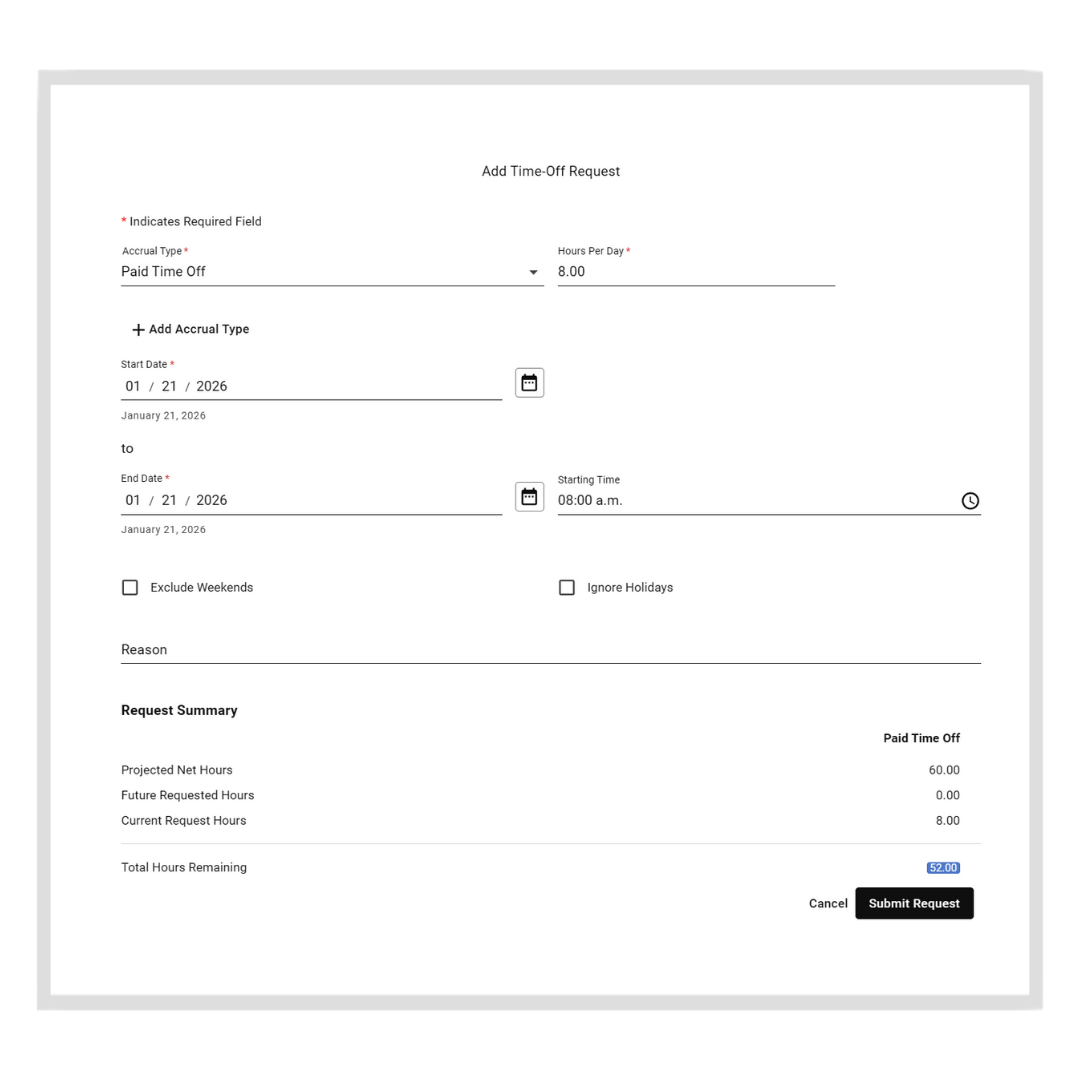
Employees wanting to schedule time off should do so through Paycom. All requests made through Paycom will be sent to Rick Grinstead, Dave Hendren, Josh Frantz, and Adam Workman for review. Once your request has been made, your manager will let you know if the request has been approved or denied. For more information regarding time off requests, please consult the Employee Handbook.
Personnel Data Changes
Have you moved recently? It’s important to keep DCTS up to date with important information (i.e., address changes) for tax, payroll, and other business-related purposes. You can make these updates by accessing the “Information” tab in Paycom.
Snow Days
Inclement weather happens. When a school closes for inclement weather, DCTS employees are still required to report to work at their assigned location. If a DCTS employee is unable to enter their assigned school due to security reasons (i.e., the employee has no building access when the school is closed), please immediately reach out to Rick Grinstead, Dave Hendren, Josh Frantz, and Adam Workman to discuss how to proceed with work for the day. DCTS does not offer its employees paid snow days, so be sure to understand your school’s protocol for handling inclement weather.


Lunch Break
Please do not skip lunch to arrive or depart work outside of regularly scheduled hours. If you need to arrive late or leave early due to an appointment or other emergency circumstance, contact your manager to make arrangements.
Insurance Questions
Full-time employees are entitled to receive health insurance benefits. For a full explanation of these benefits, please consult the Employee Handbook.
If you have general insurance policy questions, please contact our consultant:
Blair Durban
513-366-3784
blair.durban@sbcinci.com
Additional Contact Info:
Anthem Blue Cross Blue Shield (Medical)
Humana (Dental & Vision)
1-800-427-7478

401K Questions
Employees with questions regarding their 401K should contact Charles Schwab (formerly TD Ameritrade) at 1-800-435-4000. For a full explanation of retirement benefits offered by DCTS, please consult the Employee Handbook.